- Docs
- Get set up
- Use an access token instead
Use an access token instead
Reach an org with a personal access token from your Mapped account, when logging in with Mapped isn't an option.
Most people log in with Mapped. Use a personal access token instead when:
- your Mapped administrator gave you a token rather than an account, or
- you need an org your Mapped login doesn't open.
A token is a long password that reaches exactly one org. You can add as many as you need, one per org.
Get a token
Ask your Mapped administrator, or make one yourself in Mapped's Console under your account's Personal access tokens. Mapped's guide, Personal Access Tokens, links straight to that page.
Add it to Rivet
- During your first launch: on step 1, choose Use a personal access token.
- Later: open Settings › Access tokens (the gear at the top right, or ⌘ , on a Mac and Ctrl , on Windows).
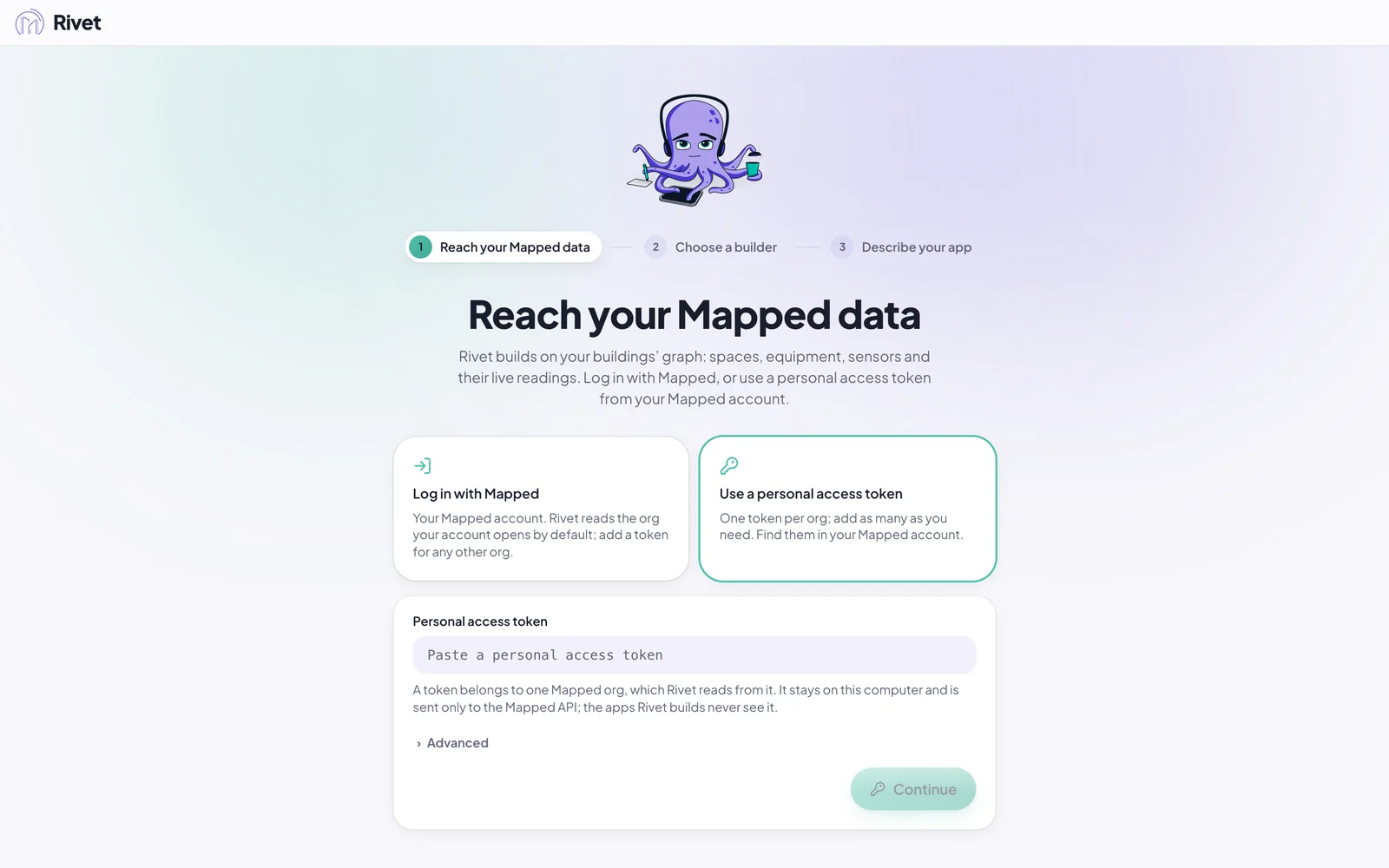
Paste the token into Personal access token and press Continue (in Settings, Add token). Rivet reads which org it belongs to. During your first launch it goes straight on to step 2; in Settings it says Added. This token belongs to that org. Leave everything under Advanced as it is.
The token stays on your computer. Rivet sends it only to Mapped, and the apps Rivet builds never see it.
If Rivet says The PAT was rejected, the token was mistyped, has expired, or was deleted. Copy it again or make a new one.